How to Update a Budget
To update a yearly budget follow the instructions below:
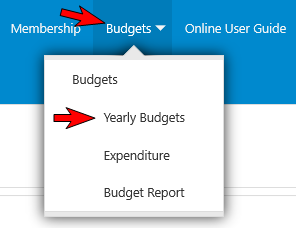
- Select the menu named 'Budgets' then select the menu named 'Yearly Budgets' (refer to the image below).
- Locate the budget that you wish to update and select it with your mouse pointer (refer to the image below).

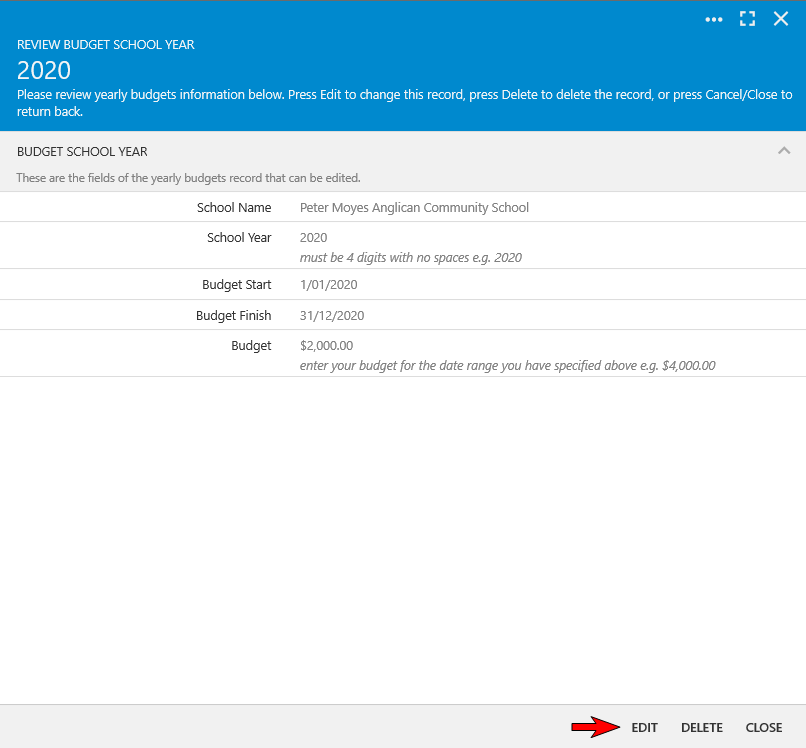
- This will open the 'Review Budget School Year' form (refer to the image below).
- Select the 'Edit' button (refer to the image below).
- You can now update the information pertaining to School Year, Budget Start, Budget Finish and Budget e.g. changing the amount recorded against 'Budget' to a new budget amount.
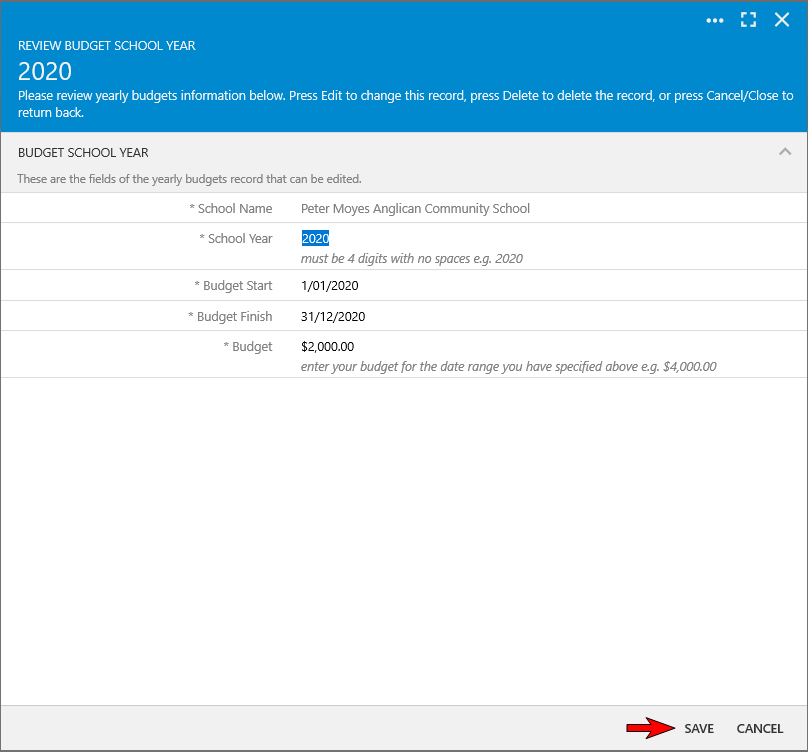
- Once you have finished updating the yearly budget select the 'Save' button.